 display.tools
How does it work?
- Open a prank screen below on the unlocked computer.
- Press F11 and it fills the screen. Use this wherever there is a keyboard: fullscreen opened with F11 cannot be closed with Esc, so a curious colleague cannot shrink the prank back into a browser window. On a phone, a tablet, anything with no F11 key, double-tap anywhere instead — or double-click with a mouse — and a stray single tap will not set it off. That route is the fallback rather than the first choice, because fullscreen opened this way can be dropped again with Esc in some browsers, which spoils the surprise.
- Walk away, act normal, and wait for your colleague to get back from their cigarette break.
- Whoever finds it sees a busy machine mid-update. When they press a key or click the dialog, they get the punchline.
- To get out: F11 leaves fullscreen, Ctrl+W closes the tab.
Fake Windows 95 Setup

The clouds-and-logo boot splash, stuck behind an "Installing Devices" dialog that names one piece of 1995 hardware after another — Sound Blaster 16, S3 Trio64V+, NE2000 Ethernet. The chunked bar climbs for about five minutes, then inches along and never reaches the end. Any key press ends it in a fatal exception 0E blue screen.
Start the prank →Fake Windows 98 Setup

The Windows 98 splash behind a "Preparing Directory" wizard, gradient title bar and all, working its way through detecting Plug and Play devices, registering ActiveX components and configuring Internet Explorer 4.0. The solid blue bar slows to a halt just short of done and stays there. Touch a key and the machine drops to a fatal exception blue screen.
Start the prank →Fake Ubuntu 8.10 Installer

The Ubuntu installer mid-install on the old Intrepid Ibex wallpaper, its slideshow rotating every twenty seconds through "Help and support" and "Hints and tips". The comet bar runs up to roughly a third and then keeps creeping without ever arriving. Enter or the close button hands them a kernel panic that has no business existing on Linux.
Start the prank →Fake MS-DOS Defrag
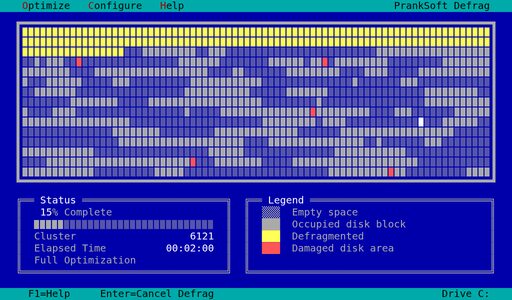
The DOS disk defragmenter from 1994, dropped straight into a full optimization with no dialog to click through first. Blocks flicker and shuffle their way across the cluster map, the elapsed clock runs, and the percentage inches along and never arrives. Touch a key and something starts spreading through the map that is not a bad sector.
Start the prank →Fake Windows Defrag
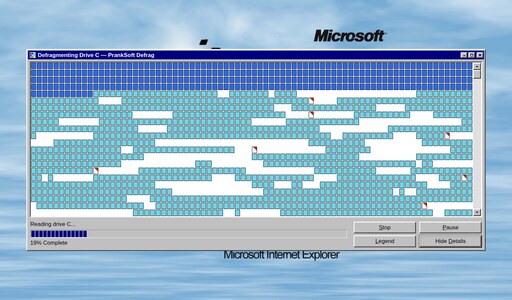
The same job as the DOS one, thirty years of paint later: a proper window sitting on the Windows 95 desktop, thousands of little blocks shuffling across the cluster map while a chunked bar creeps along underneath. Stop, Pause, Legend and Hide Details all do exactly one thing. Touch any of them, or any key, and red starts spreading across the map until it spells out what this actually is.
Start the prank →Fake Ransomware (WannaPrank) Screen
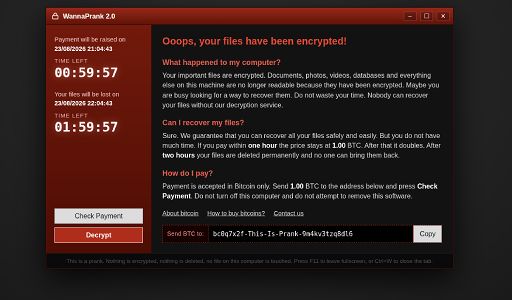
Not an update this time. A ransom note on a near-black backdrop, demanding one bitcoin and counting down two hours to the moment every file is supposedly deleted for good. The clocks are real and they stop dead at zero; everything else is theatre.
Start the prank →Fake macOS UpdateComing soon
A familiar Apple logo and slow-filling progress bar, with "Installing a software update… do not turn off your Mac".
Display tools: solid color screens to clean and test your monitor →
Jumbo keyboard: a giant on-screen keyboard with palm-sized keys →